Surfbee

Surfbee software capabilities

Software for mission planning and field control.

Plan and control your autonomous surface vehicle (ASV), also known as an uncrewed surface vessel or USV, with modes for ADCP measurement, mapping and autonomous survey.

Mission workflow Field context
  1. 01Plan
  2. 02Control
  3. 03Monitor
  4. 04Collect

A conceptual view of the operating sequence. The interface depends on the software release and field setup.

Software modes
3
Workflow
Planning through collection
Mission context
Flow, survey and monitoring
Integrations
On request

Three operating modes

Choose the mode for the field task.

Each mode supports a different part of field operation. Available features depend on the vessel, instrument and software setup.

01

Flow measurement

ADCP Mode

Set up repeatable transects and maintain the vessel behaviour needed for an ADCP measurement workflow.
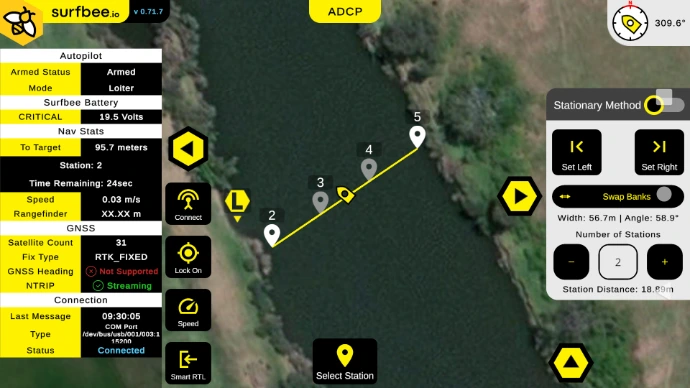
Surfbee ADCP Mode interface showing a planned transect and live vessel status
  • Autonomous transects

    Run planned transects as part of a repeatable flow measurement mission.

  • Heading and speed control

    Control vessel heading and speed while the measurement is under way.

  • Virtual anchor

    Hold the vessel at a defined position when the field workflow calls for it.

  • Real-time ADCP view

    View ADCP information during the mission to support field monitoring.

  • Multi-manufacturer supportOn request

    Supports SonTek M9, SonTek RS5 and Teledyne RiverPro workflows through the matching instrument interface.
02

Mission context

Map Mode

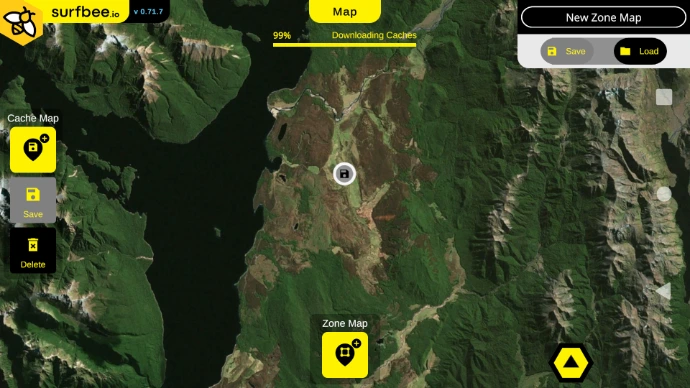
Prepare geographic context for fieldwork, including operation where a live map connection may not be available.

Surfbee Map Mode interface showing cached aerial mapping and zone controls
  • Offline map cache

    Cache map context for use during field operations without relying on a continuous connection.

  • Exclusion zones

    Define areas the planned operation should keep outside its working boundary.

03

Autonomous missions

Surf Mode

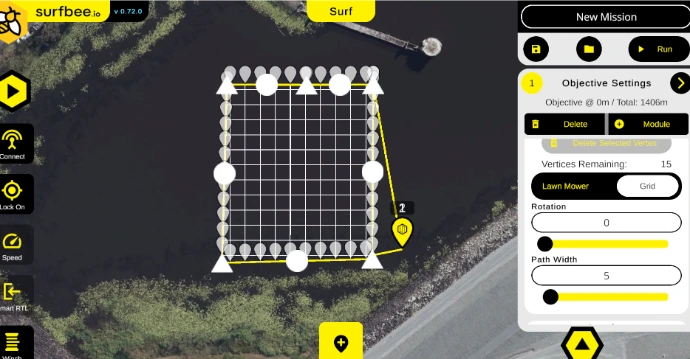
Plan and run waypoint-based survey and monitoring missions with tools shaped around the intended field pattern.

Surfbee Surf Mode interface showing a grid mission within a defined operating boundary
  • Waypoint missions

    Plan autonomous missions around a sequence of defined waypoints.

  • Grid and contour patterns

    Use grid and contour-line patterns to shape the mission route.

  • Driven boundaries

    Define an operating boundary by driving the vessel around the intended area.

  • Bathymetry and water qualityOn request

    Apply the mode to documented bathymetry and water-quality mission workflows.

  • GNSS / RTK and multi-sensor integrationOn request

    Positioning hardware, sensors, interfaces and the selected vessel are configured as one system.

  • Specialised payload workflowsOn request

    Supports single-beam, multi-beam, water-quality and winch workflows when configured with the required hardware.

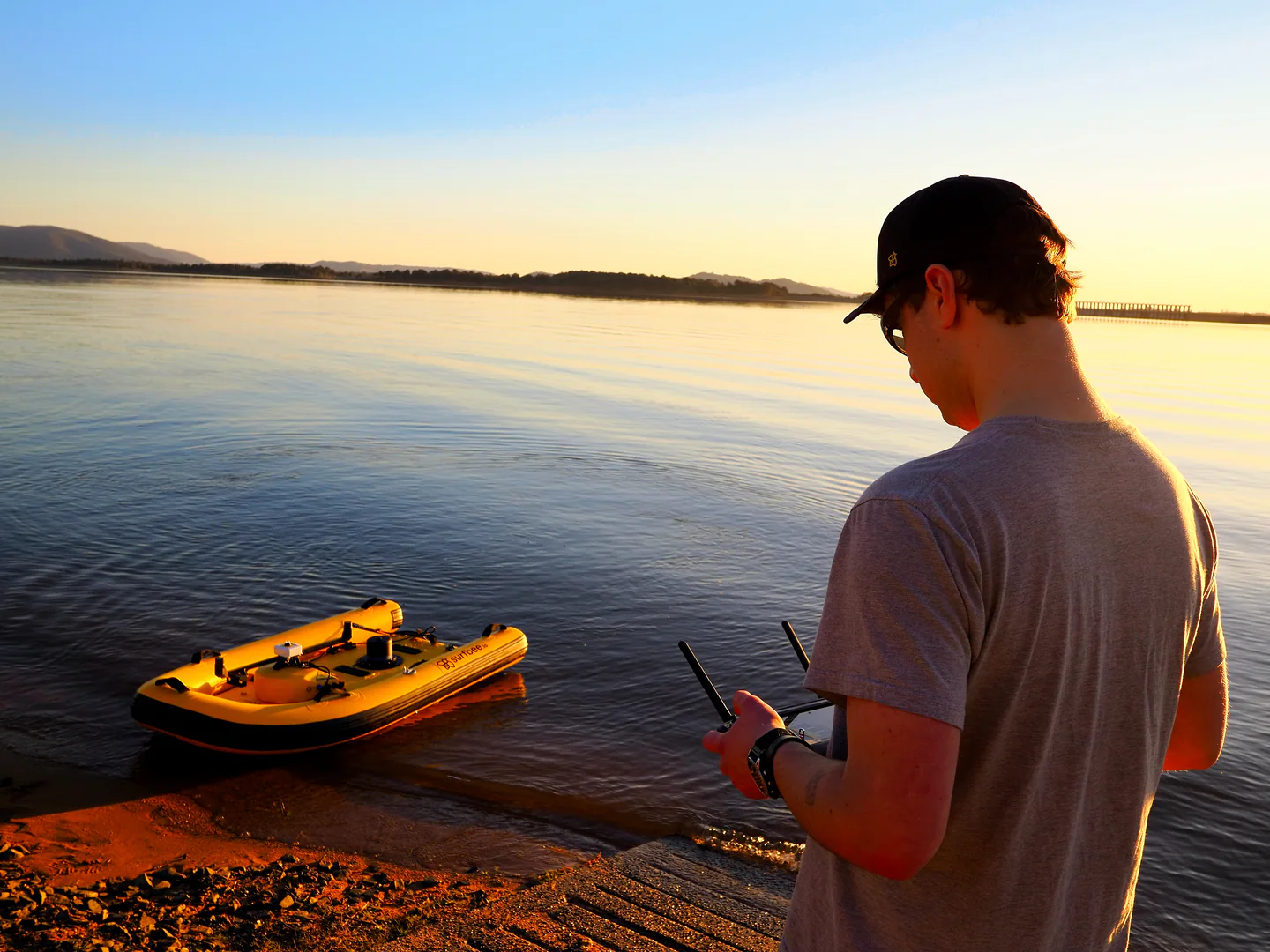
An operator controlling a Surfbee vessel from shore at Lake Hume
Field operationVessel control from shore at Lake Hume.

Operating sequence

From mission setup to data collection.

The software supports the operating sequence while the vessel, instrument and data path remain part of the complete field system.

  1. 01

    Before the mission

    Plan

    Choose the applicable mode, shape the mission and define waypoints, patterns, boundaries or transects.

  2. 02

    During the mission

    Control

    Run the planned route and use the available vessel controls for the field workflow.

  3. 03

    During the mission

    Monitor

    Follow mission telemetry and, in ADCP Mode, view the documented real-time ADCP information.

  4. 04

    After the run

    Collect

    Complete the run using the data path defined for the selected instrument and mission setup.

System context

Software is one layer of the field configuration.

Platform, controller, positioning, instrument interfaces and software must be considered together for each deployment.

  1. 01Platform and controller

    The selected Flow Series vessel and its operating controls.

  2. 02Positioning and mission mode

    The applicable map, ADCP or autonomous workflow and its field positioning context.

  3. 03Sensor and interface

    The instrument, mount, cable and multi-sensor path required for the mission.

  4. 04Mission data

    The collection path and output requirements for the selected instrument and setup.

Related platforms

Match the software to the vessel and mission.

Review the role of each Flow Series platform, then confirm the software, instrument and accessory workflow with Surfbee.

Software walkthrough

Review the workflow for your mission.

Share the platform, instrument and intended field sequence. Surfbee can confirm the applicable mode and configuration.